 Xingxin on Bug
 My primary effort this week was supporting my colleague’s paper. However, I also have a few exciting updates of my own.
My Training Tech Stack
I managed to achieve 3 major milestones in refactoring my training pipeline:
I am now tuning and training using 6 NVIDIA RTX 5880 Graphis Cards!
To be honest. Watching these loss curves drop is satisfying.
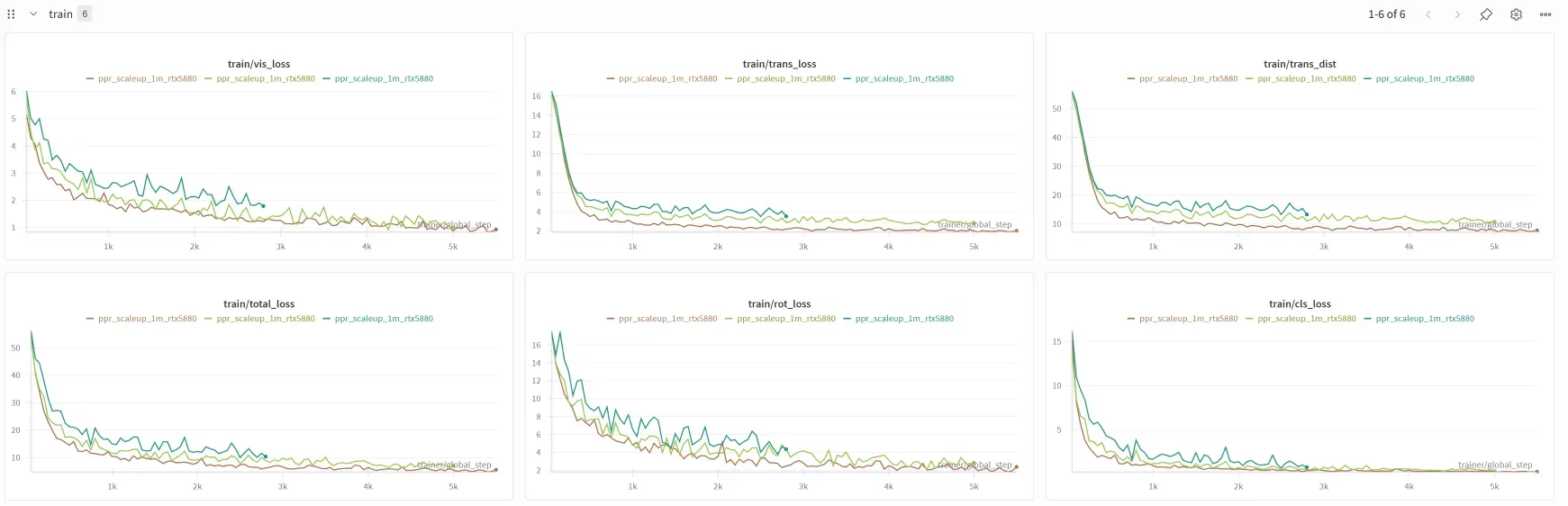
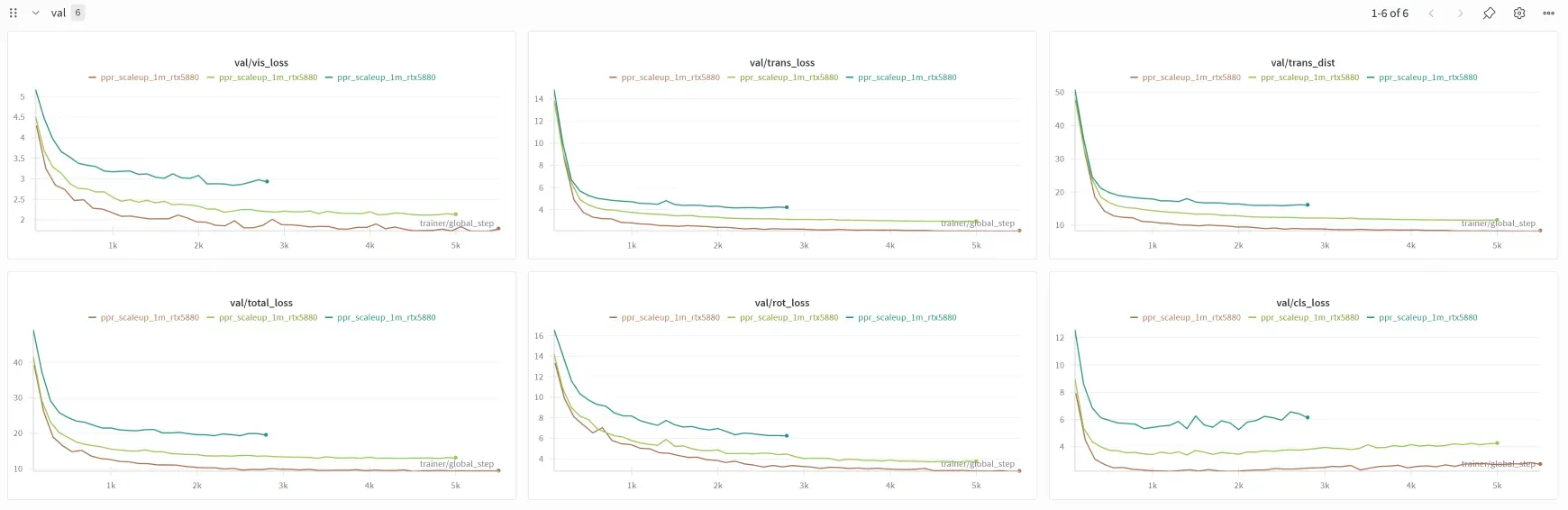
I've been staring at my @wandb dashboard for 15 minutes straight.
— Xingxin HE (@iamhxx) January 22, 2026
Watching that loss curve drop is a dangerous dopamine hit. Please tell me I'm not the only one addicted to this?🤐 pic.twitter.com/H9Tj4UzqJp
I discovered these brilliant tools, hydra, wandb and PyTorch Lightning, from these two brilliant papers:
- 📄Rectified Point Flow: Generic Point Cloud Pose Estimation
- 📄GARF: Learning Generalizable 3D Reassembly for Real-World Fractures
A huge thanks to the researchers who open-sourced their codebase!
Isaac ROS
As I mentioned in last week’s post, I wanted to explore ROS solutions for teleoperation. I’ve found that Isaac ROS is a fantastic tool!
Isaac ROS is built on top of ROS2. This means if you install Isaac ROS, your ROS2 environment is automatically set up. I especially enjoy the isaac-ros-cli, which provides a very convenient way to activate your ROS environment inside docker using just the command line.
# Initialize environment
sudo isaac-ros init docker
# Activate environment
isaac-ros activateIt’s a really satisfying workflow!
Workspace
I often see tutorials, specifically related to ROS, use the term “workspace”. Common examples include:
wsros2_wsws_moveit- …
It turns out that the “workspace” here specifically refers to a colcon workspace. I really appreciate this granular level of package management. Here’s an example of my folder structure:
~/workspaces/isaac_ros-dev/
├── src/
│   ├── isaac_ros_common/
│   ├── moveit2_tutorials/
│   └── my_cool_robot/
├── build/
├── install/
└── log/
I follow a few conventions:
- I create a folder called
workspaces(plural), which can house as many project-based{workspace}(singular) folders ass I need. - In this case, the
isaac_ros-devis a{workspace}. - Inside a
{workspace}, 3 additional folders are generated after you runcolcon build.build/install/- where the final artifacts go. (You often need to runsource ./install/setup.bashafter building)logs/
Franka SpaceMouse Teleoperation
I also setup the teleoperation using SpaceMouse to control the Franka Research 3. However, I found it very difficult to control the end-effector precisely🤣… I’ll try to optimize it further.