 Xingxin on Bug
 What a week! This week marked the end of a few major things.
- The end of the graduate course I was taking.
- The end of the undergraduate course I was tutoring.
- The end of the camera calibration after changing robot setup.
Hooray! I hope this means I will finally have more time to spend on my own projects and research.
Camera Calibration
I really dislike this important but compulsory step.
On one hand, camera calibration is absolutely necessary to ensure the camera’s optical frame aligns in the observation space.
On the other hand, the calibration process is incredibly brittle. There are so many methods and so many moving parts. Getting those components to work together feels like trying to gather the scattered Dragon Balls.
After getting frustrated with these fragile components, I thought: why not make my own?
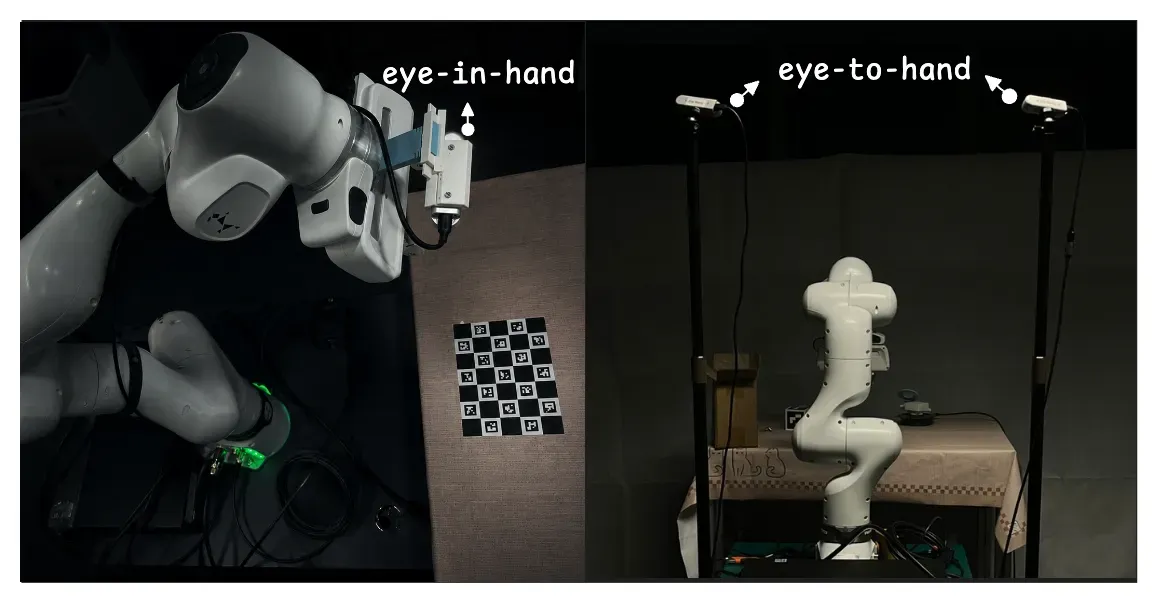
That is exactly what I did. My franka_moveit_camera_calibration repository aims to bring all those pieces together smoothly.
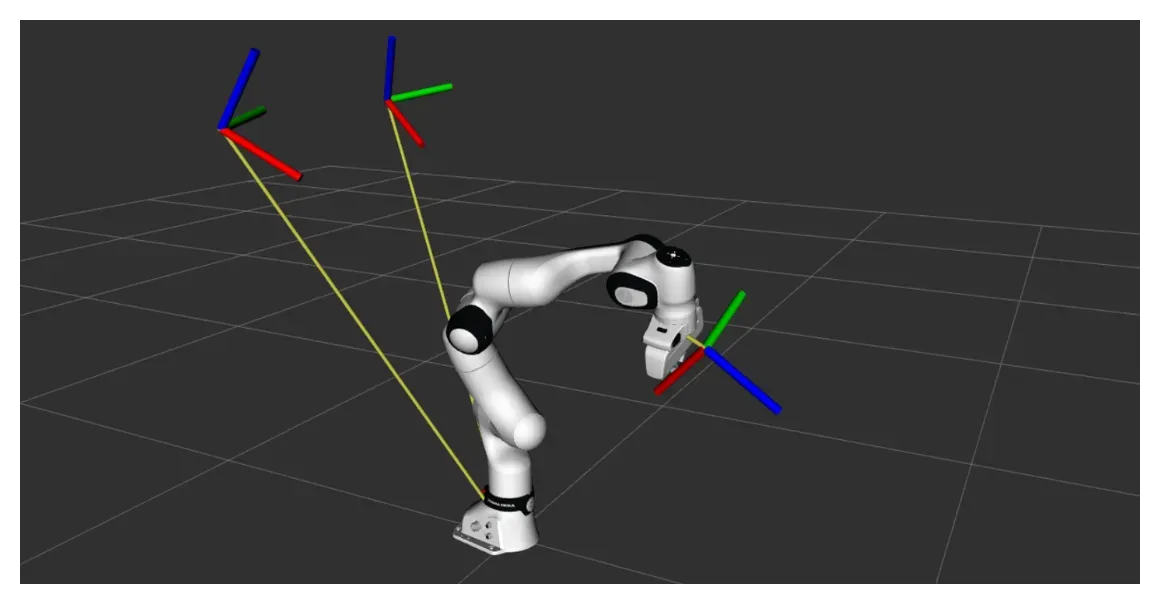
The eye-in-hand camera is calibrated relative to the flange frame while the eye-to-hand cameras are calibrated relative to the robot’s base frame.
RemarkBy the way, if you want to know more about the intuition behind. See A Visual Guide to Hand-Eye Camera Calibration in Robotics.
LeRobot Dataset Visualizer
In my post Unpacking “Unfolding Robotics”: The Reading Notes, I foresaw that the LeRobot Dataset Visualizer could greatly improve my daily workflow. It was a pity that it didn’t support local datasets natively.
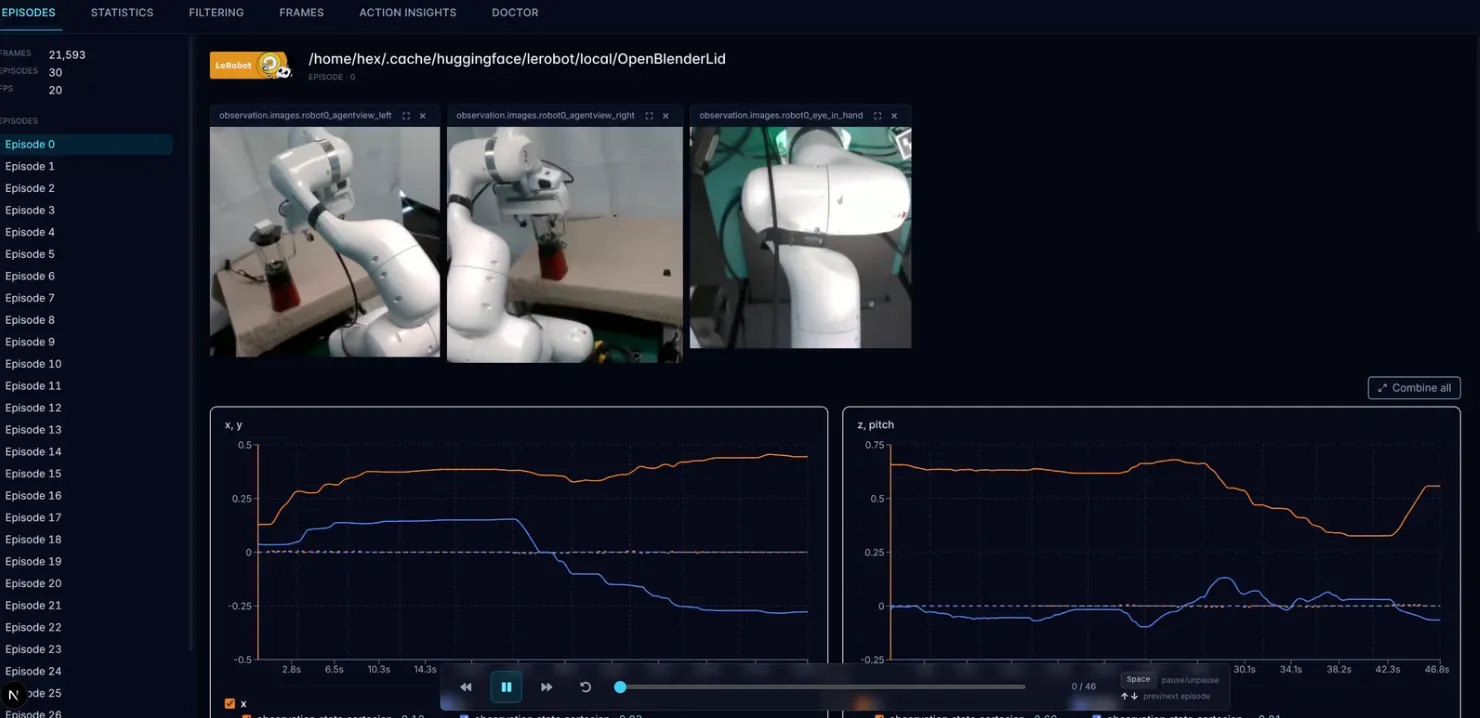
Therefore, I quickly modified it to support local datasets. Now I can easily visualize my observations and trajectories. Even better, it helps me cleary see whether the robot’s motion is jerky or smooth.
Optical Frame Conventions
When working with cameras, the optical frame matters a lot, and aligning them is tedious. At first, I put my calibrated optical frame directly into the RoboCasa dataset and re-rendered the simulation.
The resulting observation looked very weird. Luckily, my past experience wrestling with PyBullet and MuJoCo helped me quickly diagnose that the issue might be related to optical frame conventions.
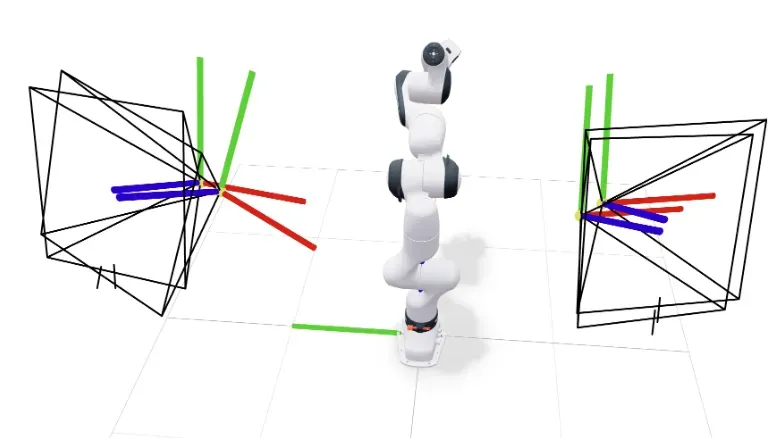
I used the viser to visualize and compare what the frames in RoboCasa (Overview - MuJoCo Documentation) look like versus my calibrated frames.
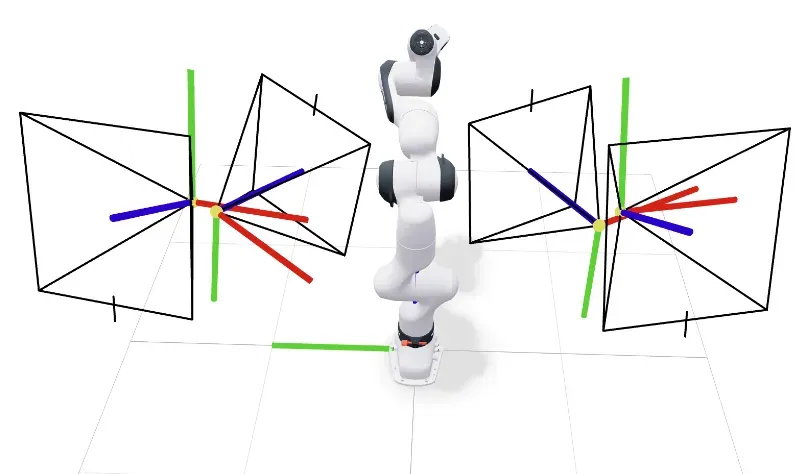
You can clearly see that, thanks to my careful physical setup, the position of my camera is very close to the simulation. However, the orientation was flipped. The reason is simple: my calibration is based on the OpenCV ( right, down) while MuJoCo uses the OpenGL convention( right, up).
After applying a quick conversion, everything looks perfect!